
If you are wondering how to set a Honeywell thermostat correctly, it is one of the simplest yet most powerful ways to control your home comfort. It is a critical step in reducing your monthly energy bills and optimizing your overall heating and cooling efficiency. Whether you are using a modern Honeywell Home smart thermostat or an older manual model, understanding how to configure these settings properly makes a massive difference.
Over my years of evaluating home climate control systems and working alongside HVAC professionals, I have seen firsthand how proper thermostat management transforms a household. People often leave their systems on factory defaults, which can lead to unnecessary wear and tear on expensive HVAC components. This comprehensive guide will walk you through everything you need to know to master your device.
We will cover everything from basic temperature settings to advanced programming, custom schedules, and troubleshooting. This article is designed to cover all major Honeywell thermostat models, including the Pro Series, T4 Pro, and older traditional units. By the end of this guide, you will know exactly how to set a Honeywell thermostat like an industry professional.
What is a Honeywell Thermostat?
Before diving into the exact steps of how to set a Honeywell thermostat, it helps to understand what the device actually does. A Honeywell thermostat is a highly advanced, user-friendly device that controls your home’s heating and cooling system. It works by regulating the indoor temperature based entirely on your personal preferences and daily schedule. This central hub communicates directly with your HVAC system (heating, ventilation, and air conditioning) to maintain the exact indoor environment you desire.
Honeywell has been a leading pioneer in climate control technology for decades, evolving from simple dial-based systems to highly sophisticated digital interfaces. Modern Honeywell thermostats include programmable options, Wi-Fi-enabled smart thermostats, and highly reliable manual units. Each variation is built with specific user needs in mind.
These devices help automate climate control, drastically improve energy efficiency, and provide maximum comfort with minimal manual effort. A smart Honeywell unit can even learn your daily routines and adjust the temperature before you even realize the house is getting too cold or too warm. Ultimately, it is the brain behind your home’s entire climate ecosystem.
Why Knowing How to Set a Honeywell Thermostat Properly is Important
Proper thermostat setup is not just about keeping your living room comfortable during a snowstorm or a heatwave. The way you program your device directly impacts your home’s total energy usage and your HVAC system’s overall lifespan. Correct configurations ensure that your heating and cooling units operate only when absolutely necessary.
One of the most significant benefits is substantial energy savings throughout the year. Proper scheduling and temperature setbacks can reduce your monthly energy bills by up to 10 to 20 percent. This kind of financial saving adds up quickly over the lifespan of a modern thermostat, easily paying for the device itself.
Comfort consistency is another major factor. A well-set thermostat maintains a stable indoor temperature, eliminating frustrating hot and cold spots throughout your house. Furthermore, preventing your HVAC system from overworking reduces mechanical wear and tear, preventing costly emergency repairs down the road.
Incorrect settings, on the other hand, can lead to uneven temperatures, shockingly high utility bills, and frequent system cycling. Short cycling—when a system turns on and off too rapidly—is a direct result of poor thermostat placement or incorrect configuration. Taking the time to set it up right is an investment in your home’s infrastructure.
Thermostat Operational Mechanics
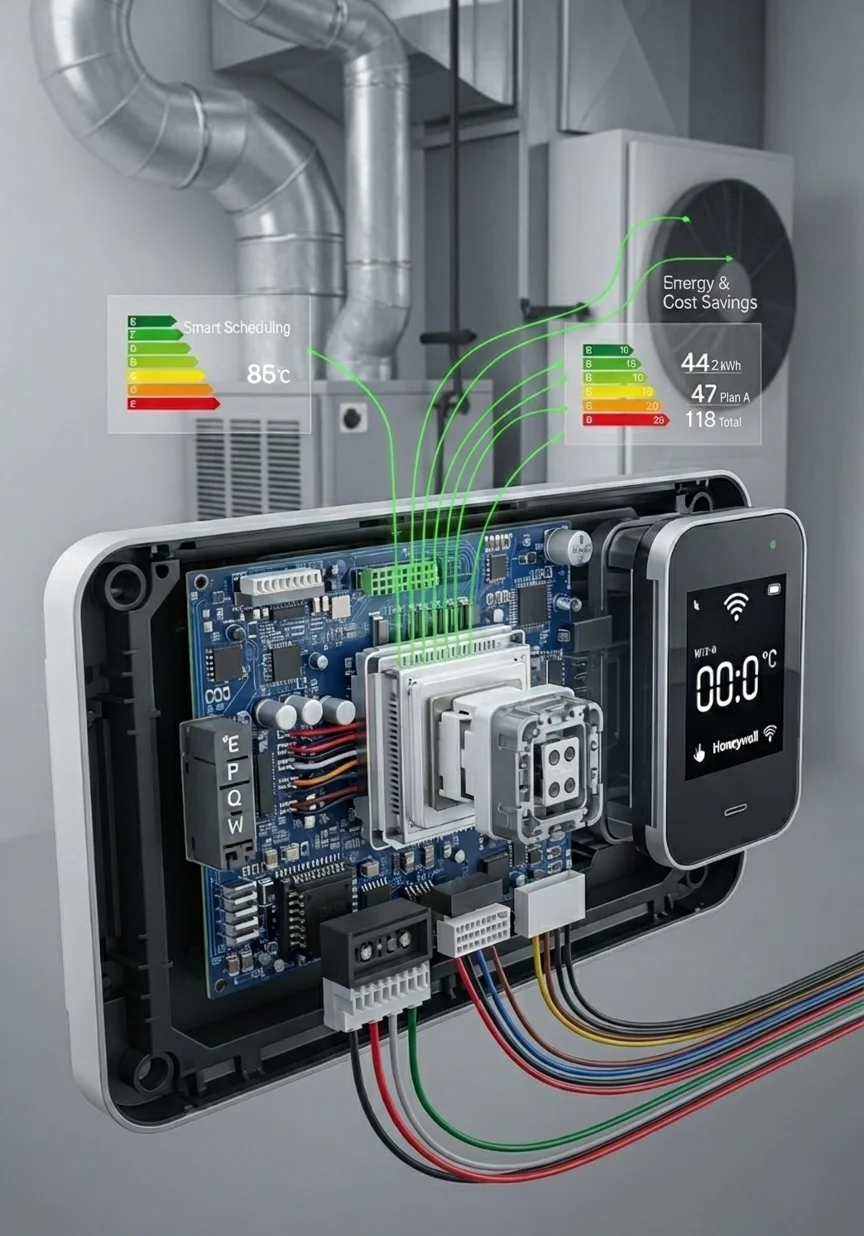
A Honeywell thermostat works by utilizing integrated sensors to detect the current ambient room temperature. It then continuously compares this real-time data against the target temperature you have manually set or programmed into its schedule. This constant monitoring is the core function of the device.
When there is a noticeable difference between the current room temperature and your target setpoint, the thermostat springs into action. It sends an electrical signal to turn on the heating system if the room has become too cold. Conversely, it activates the cooling and ventilation system if the room has grown too hot.
Modern thermostats go far beyond this simple binary operation. They allow for intricate scheduling of temperature changes based on the time of day or day of the week. Many models feature automatic switching between heat and cool (Auto mode), which is incredibly useful during transitional seasons like spring and autumn.
Honeywell Thermostat Models Overview
Understanding your specific model is the first step when learning how to set Honeywell thermostat controls, as different models offer varying levels of control. The Honeywell T4 Pro is a highly popular, easy-to-use programmable model found in many modern homes. It offers a clean digital display and straightforward push-button navigation that makes daily adjustments incredibly simple.
The Honeywell Pro Series, including models like the T5 and T6, steps up the technology with sleeker designs and smarter features. These often include touchscreen interfaces and enhanced scheduling capabilities for more granular control. Many of these models also support Wi-Fi connectivity for seamless smart home integration.
Honeywell Home Smart Thermostats represent the top tier of their residential offerings. These devices connect to your home network, allowing for voice control via Amazon Alexa or Google Assistant, and offer detailed energy usage reports.
Finally, older manual Honeywell thermostats are still prevalent in many households today. These traditional units feature simple sliders, dials, and physical buttons without any complex digital scheduling features. While they lack automation, they are incredibly durable and operate on straightforward, reliable mechanics.
Essential Settings When Learning How to Set Honeywell Thermostat Controls
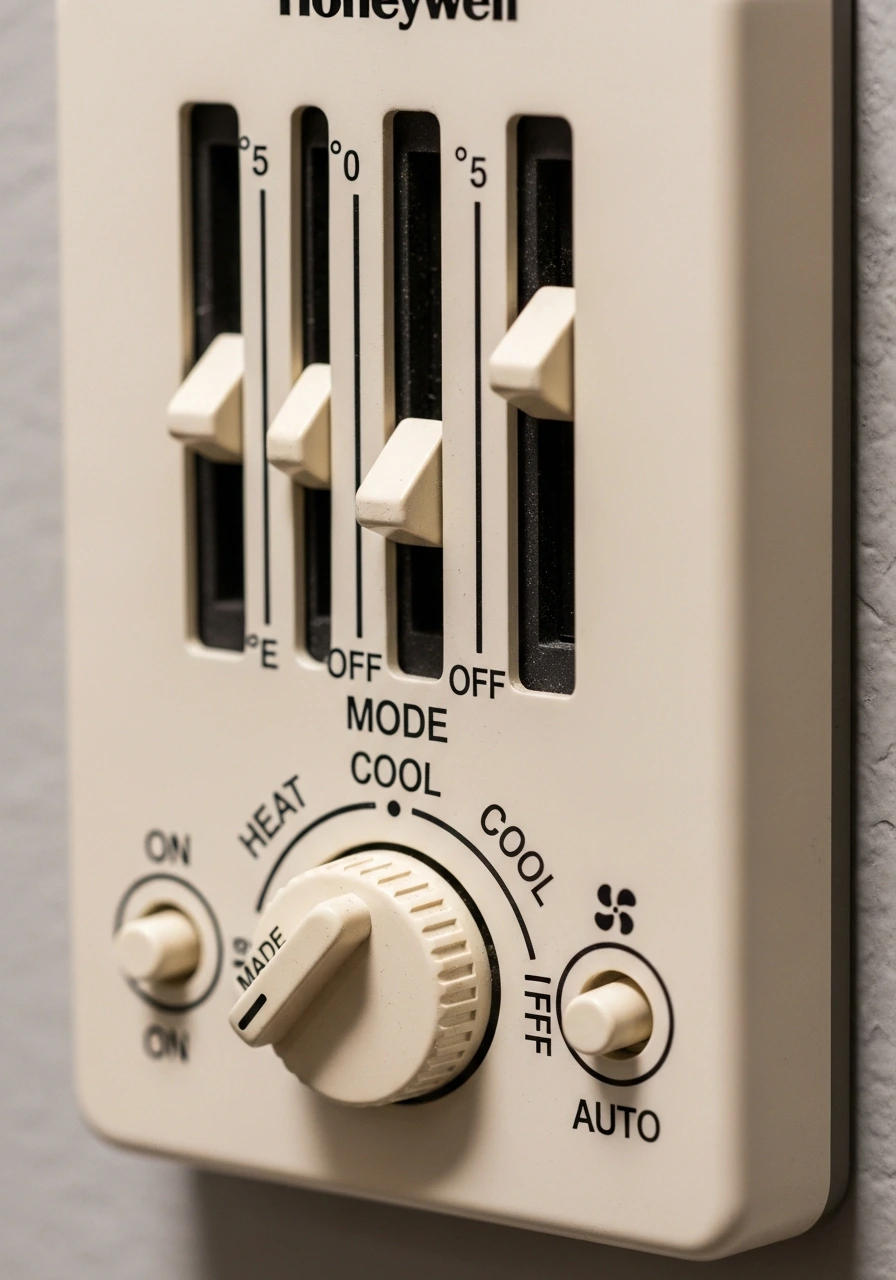
Before diving into complex scheduling, it is crucial to understand the fundamental settings available on almost every device.
- Mode Settings: Determine the primary function of your HVAC system at any given time. These typically include Heat, Cool, Auto, Off, and Emergency Heat (specifically for homes utilizing heat pump systems).
- Fan Settings: Dictate how your system’s blower motor operates to circulate air throughout your home. The ‘Auto’ setting ensures the fan only runs when the heating or cooling equipment is actively running. The ‘On’ setting keeps the fan running continuously, which helps filter the air and balance temperatures, though it uses more electricity.
- Temperature Controls: Usually represented by increase (+) and decrease (-) buttons, these allow you to fine-tune your immediate comfort level.
- Schedule Settings: This is where the true energy-saving power of a Honeywell thermostat lies. These settings are typically divided into four daily periods: Wake, Leave, Return, and Sleep.
Step-by-Step Configuration Guides
Basic Temperature Adjustment
The most common question homeowners ask is how to set a Honeywell thermostat for basic temperature adjustments. First, ensure the thermostat display is active by pressing any button or touching the screen. Verify that you have selected the appropriate system mode, whether that is heat or cool, depending on the current season.
Use the + or – buttons (or the up and down arrows) to adjust the target temperature to your liking. Once you stop pressing the buttons, the thermostat will lock in the new target and display a “waiting” or “on” message. Wait a few moments for the HVAC system to respond and begin conditioning the air.
For optimal energy efficiency, the Department of Energy recommends setting your cooling at 24 to 26 degrees Celsius (75 to 78 degrees Fahrenheit) during the summer. In the winter, setting your heating at 20 to 22 degrees Celsius (68 to 72 degrees Fahrenheit) provides a great balance of comfort and cost savings.
Heating & Cooling Mode Configuration
To transition your home into heating mode for the winter, start by pressing the “Mode” or “System” button on your device. Continue pressing this button until the word “Heat” prominently appears on the digital display. Once selected, use the directional arrows to raise the target temperature. You should hear a faint click from the thermostat, followed by the sound of your furnace turning on.
When summer arrives, switching to cooling mode is just as straightforward. Press the “Mode” button repeatedly until the “Cool” indicator is displayed. Lower the target temperature using the adjustment arrows. Ensure your fan setting is switched to “Auto” for maximum energy efficiency during the summer months.
How to Set a Honeywell Thermostat Custom Schedule
Scheduling is the ultimate key, and knowing how to set a Honeywell thermostat schedule unlocks massive energy efficiency in your home. To begin, press the “Menu” or “Schedule” button on your thermostat’s main interface. You will usually be prompted to select a specific day, or a group of days (like Mon-Fri), to begin programming.
You will then set the target temperature for four distinct periods: Wake, Leave, Return, and Sleep. Carefully assign a specific time and target temperature for each of these periods. Once finished, ensure you press “Done” or “Save” to lock in your new routine.
A best practice for scheduling is to lower the temperature by several degrees when you are sleeping or away from home during the winter. Conversely, let the house get a bit warmer while you are at work during the summer.
Utilizing Hold Mode
Hold mode is a vital feature that allows you to pause your programmed schedule and keep the house at one fixed temperature. To activate this, simply use the arrow buttons to set your desired temporary temperature. Once the new target is set, press the “Hold” button to lock it in place. The system will now maintain that exact temperature indefinitely until you manually cancel the hold.
Optimal Winter Configurations
Knowing how to set a Honeywell thermostat for winter settings is critical for maintaining a cozy home while preventing your gas or electric bills from skyrocketing. During the day, when you are active and moving around the house, a setting of 20 to 22 degrees Celsius is highly recommended. At night, safely lowering the temperature to 17 to 19 degrees Celsius promotes better sleep and saves energy. Use your thermostat’s schedule function to automate this nighttime reduction so you never forget.
System Reset Procedures
Resetting your thermostat is the best way to fix strange software glitches, clear out old schedules, or start fresh after moving into a new home. For a basic reset on many standard models, start by turning the thermostat interface off. Remove the faceplate from the wall and take out the AA or AAA batteries for 30 seconds. Reinsert the batteries and snap the faceplate back onto the wall mount. For more advanced Pro or Smart models, you will need to navigate through the digital menu, select “Advanced Setup” and choose the “Factory Reset” option.
Expert Troubleshooting and Assistance
Even if you know how to set a Honeywell thermostat perfectly, you might occasionally encounter issues that require a bit of troubleshooting. Your first line of defense is always the official user manual, which contains a robust troubleshooting index.
Common issues include incorrect temperature readings, which can happen if the thermostat is mounted too close to a drafty door or a hot kitchen. If your system is not turning on at all, check the circuit breakers in your electrical panel and ensure the thermostat batteries are fresh. If the digital display is completely blank and changing batteries does not help, the device may have lost its 24-volt C-wire connection. When basic troubleshooting fails, it is time to call a professional HVAC technician.
Mistakes to Avoid When Learning How to Set a Honeywell Thermostat
One of the most frequent mistakes people make is setting extreme temperatures to try to heat or cool a house faster. Setting your thermostat to 15 degrees Celsius will not cool your house any faster than setting it to 22 degrees; it simply makes the AC run longer and wastes energy.
Leaving the fan setting constantly to “ON” is another widespread error. While it circulates air, it also runs the blower motor 24/7, which can add high costs to your electric bill. It also pulls moisture from the AC condensation coils back into the living space, making your home feel muggy and humid.
Frequently Asked Questions
Q: How do I set my Honeywell thermostat to stay at one temperature?
A: Use the Up/Down arrows to select your desired temperature, then press the “Hold” button. This pauses any active schedules and keeps the temperature constant until you manually cancel it.
Q: What temperature should I set my thermostat to in winter?
A: For the best balance of comfort and savings, set it to 20–22°C (68–72°F) when you are awake and at home. Lower it to 17–19°C (63–66°F) while you sleep.
Q: What are the three buttons on the bottom of the Honeywell thermostat?
A: On standard models, these three switches control your core settings: 1. Fan Control: (Auto/On) 2. System Mode: (Heat/Off/Cool) 3. Menu/Set: (For programming schedules)
Q: How do I schedule a Honeywell thermostat?
A: Press Schedule or Menu, select the days you want to program, and set your target temperatures for the four daily periods: Wake, Leave, Return, and Sleep. Press Save or Done to activate it.
Q:How do I reset my Honeywell thermostat?
A: 1. To just change the temp: Use the Up/Down arrows. 2. Hard Reset (Basic Models): Remove the faceplate and batteries for 30 seconds. 3. Factory Reset (Smart models): Navigate to Settings > Advanced Setup > Factory Reset.
Conclusion
Learning how to set a Honeywell thermostat properly is essential for maintaining premium home comfort. It saves money on energy and extends the operational life of your HVAC system. Whether you are simply adjusting the daily temperature or programming intricate weekly schedules, every setting plays a crucial role. Taking control of these settings puts you in the driver’s seat of your home’s energy consumption.
From the older manual units to the highly advanced smart thermostats, the core principles of climate control remain the same. With the detailed, step-by-step instructions provided in this comprehensive guide, you can confidently approach your device. You will know exactly how to set Honeywell thermostat parameters to fit your life. Ensure you reference this guide whenever the seasons change to keep your system running perfectly all year round.
Evidence-Based References: