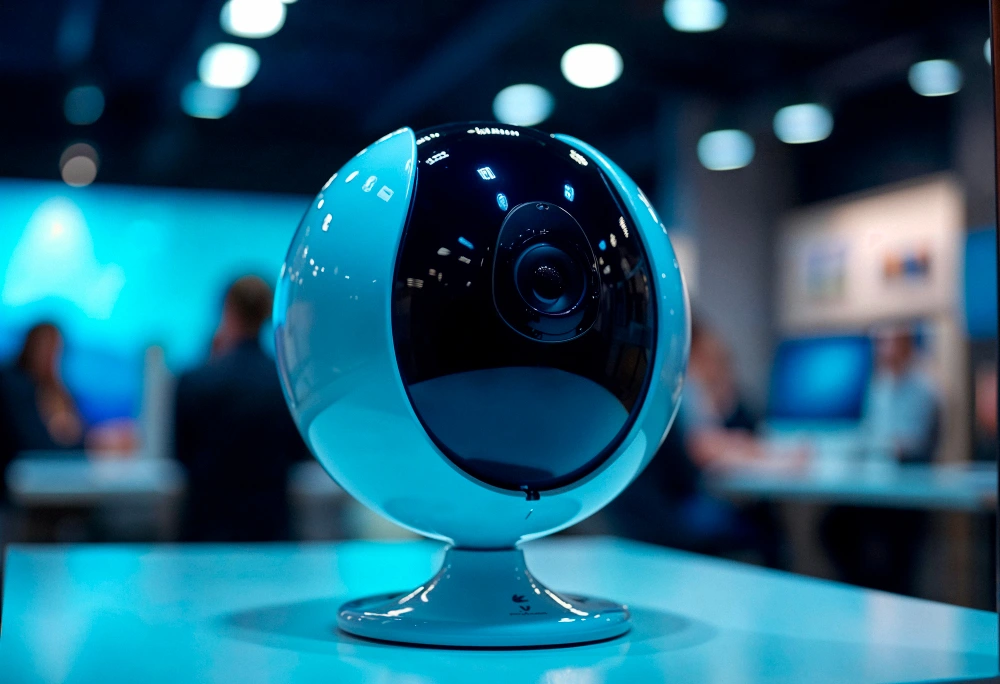
Securing your property has never been more accessible, thanks to the rapid evolution of modern surveillance technology. If you are looking to upgrade your home safety, you are likely exploring the vast market of wireless security cameras for home use. The demand for these devices is skyrocketing as they become integral parts of smart home ecosystems.
Today, home wireless security cameras offer unparalleled convenience, eliminating the need to drill complex wiring routes through your walls. However, choosing the best wireless security cameras requires understanding the distinct differences between various models and their intended applications. You must decide between indoor and outdoor capabilities based on your specific monitoring needs.
Furthermore, you will need to choose between battery-powered units for maximum placement flexibility or plug-in models for continuous, uninterrupted power. Another crucial factor is deciding whether you want the convenience of cloud storage via a subscription or the cost savings of local storage. This comprehensive guide will walk you through every aspect to help you make an informed decision.
What Are Wireless Security Cameras & How Do They Work?
Understanding the underlying technology is essential when asking how wireless security cameras work. A wireless security camera is a surveillance device that transmits video and audio data over a wireless network. It is important to note the difference between a wireless camera and a Wi-Fi camera. A Wi-Fi camera specifically uses your home’s Wi-Fi network to send data, while a fully wireless (or “wire-free”) camera uses Wi-Fi for data and batteries for power, meaning it has zero physical cords.
To fully grasp how wireless security cameras work, you must look at their core components. The camera lens captures the visual field, determining the width and clarity of your recording. The image sensor converts the light captured by the lens into electronic signals, which dictate the video resolution.
The Wi-Fi module is the communication hub, compressing the video file and sending it to your router or a dedicated base station. Finally, the battery or power source provides the necessary electrical current to keep all these components active.
How do wireless security cameras get power?
Even though they transmit data wirelessly, these cameras still need electricity to function. They are typically powered by rechargeable lithium-ion batteries, direct plug-in AC adapters, or external solar panels.
How data is transmitted
Once the camera captures footage, the Wi-Fi module transmits this data securely over your local network. Depending on your setup, this video is then sent to cloud servers for remote storage or kept locally on an SD card or dedicated hard drive.
How Are Wireless Security Cameras Powered?

A critical aspect of setting up your surveillance system is figuring out how to power wireless security cameras. The power source dictates where you can place the camera and how much maintenance it will require over time. If you are wondering how to power wireless security cameras, you generally have three primary options: battery, plug-in, or solar.
Battery-powered wireless security cameras offer the ultimate freedom in placement. You can mount them on trees, distant fences, or any area without a nearby electrical outlet. However, a common question is how to charge wireless security cameras. Most models require you to remove the battery pack and charge it indoors via a standard USB cable, though some require taking down the entire camera unit.
If you are wondering how often you have to charge wireless security cameras, it heavily depends on the camera’s activity level. For high-traffic areas, you might need to charge them every few weeks, while quiet areas might allow the battery to stretch for months. In general, how long batteries last in wireless security cameras ranges from two to six months per charge, depending on the brand and usage settings. Plug-in cameras, on the other hand, require a standard wall outlet but offer continuous 24/7 recording without battery anxiety. Solar wireless security cameras connect to a small solar panel, providing a continuous trickle charge to the internal battery, blending wire-free placement with minimal maintenance.
Power Source Comparison
| Feature | Battery-Powered | Plug-in Power | Solar-Powered |
| Installation | Extremely easy, no wires | Requires proximity to an outlet | Easy, but needs sun exposure |
| Maintenance | Requires manual recharging | Zero maintenance | Minimal (clean panel occasionally) |
| Recording | Typically motion-activated only | Can support 24/7 recording | Motion-activated, stays topped off |
| Best For | Hard-to-reach outdoor spots | Indoors or near outdoor outlets | Sunny outdoor areas |
Types of Wireless Security Cameras
The market is flooded with various types of surveillance devices tailored for specific environments and use cases. To build an effective security perimeter, you need to understand the strengths and limitations of each category. Security professionals often emphasize that matching the camera type to its intended environment is the single most important step in system design.
Indoor Wireless Security Cameras
When monitoring the inside of your home, indoor wireless security cameras are the standard choice. These devices are designed to keep an eye on pets, children, or potential intruders while you are away. Because they do not need to withstand harsh weather, they are often more affordable and feature sleeker, less obtrusive designs.
Many homeowners prefer small wireless security cameras for their living rooms or hallways to avoid making guests feel uncomfortable. These indoor units frequently feature two-way audio, allowing you to speak to family members or calm a restless pet directly from your smartphone. Additionally, indoor cameras almost always use standard plug-in power, allowing for continuous, 24/7 recording without the worry of a drained battery.
Outdoor Wireless Security Cameras
Securing the perimeter of your property requires robust outdoor wireless security cameras. These units are built with durable, weather-resistant materials to survive rain, snow, extreme heat, and freezing temperatures. An IP65 or IP67 weather-resistance rating is standard for any quality outdoor unit.
When placing wireless security cameras outdoors, you must consider features like infrared night vision or built-in spotlights to ensure clear footage in the dark. Outdoor wireless security cameras also often include built-in sirens to deter trespassers before they even attempt to break in. Because they are often placed high up on walls or under eaves, battery life and Wi-Fi range become critical factors in their performance.
Solar Wireless Security Cameras
For those who want the flexibility of a battery camera without the hassle of manual recharging, solar wireless security cameras are the perfect solution. These systems come with a small, weather-proof solar panel that connects directly to the camera. As long as the panel receives a few hours of direct sunlight daily, it keeps the camera’s internal battery continuously charged.
These cameras are ideal for remote areas of a property, such as detached garages, large backyards, or farm perimeters. Because you do not have to climb a ladder to retrieve a battery, solar setups are considered the ultimate low-maintenance security solution. Just ensure the solar panel is positioned optimally toward the sun and kept free of debris or heavy snow.
Battery-Powered Wireless Security Cameras
The defining feature of battery-powered wireless cameras is their 100% wire-free nature. This allows for incredibly easy installation; you simply screw the mount into your desired location and attach the camera. There is no need to drill holes through brick or snake wires through your attic.
These cameras operate on a “wake-up” protocol, meaning they remain in a low-power sleep mode until their built-in PIR (Passive Infrared) sensors detect motion. Once triggered, they wake up instantly, record the event, and send an alert to your phone. While this preserves battery life, it means they generally cannot provide 24/7 continuous video recording.
Commercial Wireless Security Cameras
Business surveillance needs differ vastly from standard home setups, requiring higher resolution, wider fields of view, and more robust data security. Commercial wireless security cameras are built to handle these demanding environments. They often feature vandal-proof domes and advanced analytics, such as license plate recognition or crowd density monitoring.
While wired PoE (Power over Ethernet) systems are traditionally preferred for businesses, commercial wireless security cameras are increasingly used for temporary job sites, outdoor lots, or retrofitting older buildings where cabling is impossible. These enterprise-grade wireless systems utilize secure, encrypted transmission protocols to protect sensitive business footage from unauthorized interception.
Best Wireless Security Cameras (2026 Picks)
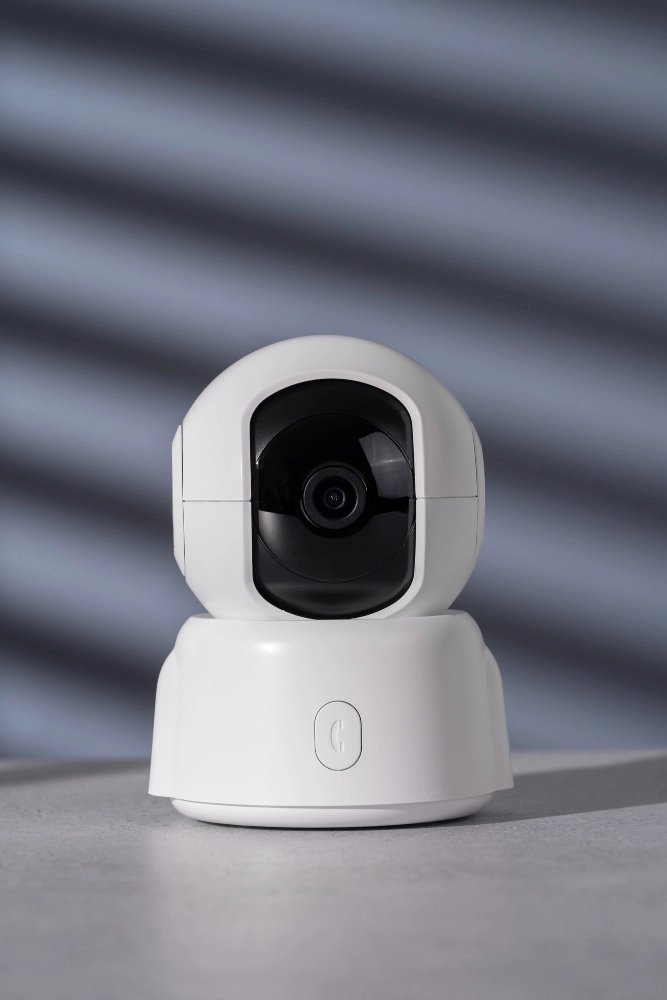
If you are asking what the best wireless security cameras are currently on the market, the answer depends on your specific ecosystem preferences and budget. However, a few industry leaders consistently dominate the space due to their reliability, app experience, and video quality. When determining what the best wireless security cameras are for your needs, you should look closely at these top contenders.
Arlo wireless security cameras are highly regarded for their premium video quality, often offering 2K or 4K resolution options. The Arlo Pro and Ultra series feature advanced object detection, distinguishing between people, vehicles, and animals, which drastically cuts down on false alarms. While they are at the higher end of the price spectrum, their performance in low-light conditions is nearly unmatched.
Ring wireless security cameras are the go-to choice for users already invested in the Amazon Alexa smart home ecosystem. They offer a massive variety of devices, from standard Stick Up Cams to high-powered Floodlight Cams. Ring’s app is incredibly user-friendly, and their Neighborhood Watch feature provides excellent localized security alerts.
Blink wireless security cameras, also owned by Amazon, represent the best value for budget-conscious consumers. These ultra-compact cameras run on standard AA lithium batteries that can last up to two years under normal usage conditions. While they lack some of the advanced AI features of Arlo or Ring, their affordability and ease of use make them incredibly popular.
Top Models Comparison
| Brand / Model | Price Range | Battery Life | Standout Feature |
| Arlo Pro 5S | Premium | 3-6 Months | Dual-band Wi-Fi, 2K HDR video |
| Ring Spotlight Pro | Mid-Range | Plug-in / Battery | 3D Motion Detection, Bird’s Eye View |
| Blink Outdoor 4 | Budget | Up to 2 Years | Extremely compact, long battery life |
Cheap vs Premium Wireless Security Cameras
Determining how many wireless security cameras cost depends entirely on the tier of technology you are looking to purchase. Cheap wireless security cameras generally fall into the budget range ($30–$100). These models, from brands like Wyze or Blink, offer standard 1080p video and basic motion detection and are excellent for monitoring small, low-risk areas without breaking the bank.
The mid-range ($100–$250) is where most consumers find the sweet spot for home security. Cameras in this bracket offer 2K resolution, built-in spotlights, colored night vision, and better integration with smart home platforms.
Premium wireless cameras ($250+) offer professional-grade features. At this price point, you get 4K HDR resolution, advanced AI that recognizes specific faces or package deliveries, and ultra-wide viewing angles. These are best suited for large properties or users who demand the absolute highest fidelity in their surveillance footage.
Wireless Security Cameras Without Subscription
A growing frustration among consumers is the hidden cost of mandatory cloud storage fees. Consequently, there is a massive demand for wireless security cameras without a subscription. Brands like Eufy, Lorex, and Reolink specialize in providing high-quality surveillance without forcing users into monthly payment plans.
Choosing wireless security cameras with no subscription means your footage is saved to local storage, typically via a micro SD card inserted directly into the camera. Alternatively, some systems use a home base station with built-in storage. If you want extensive, continuous recording, you might look into wireless security cameras with DVR or NVR setups, which feature massive hard drives capable of storing weeks of video.
The primary pro of local storage is the long-term cost savings and complete privacy, as your data never leaves your home network. The con, however, is that if a thief steals the physical camera or the local hub, the footage is lost with it. Cloud storage prevents this by instantly uploading footage off-site, which is why some users still prefer paying the monthly fee.
Wireless Security Cameras With & Without WiFi
When shopping, it is vital to know the difference between standard units and those designed for off-grid use. Traditional wireless security cameras with Wi-Fi require a stable connection to your home router to send alerts and stream video. If your Wi-Fi goes down, these cameras generally stop functioning or, at best, only record locally to an SD card without sending you notifications.
Conversely, wireless security cameras with no Wi-Fi operate using cellular networks, much like a smartphone. These 4G/5G LTE cameras require a SIM card and a separate cellular data plan. They are the perfect solution for construction sites, remote cabins, or rural properties where traditional internet access is simply unavailable.
Wireless Security Cameras With Monitor
For users who prefer a dedicated viewing station over checking a smartphone app, wireless security cameras with a monitor are an excellent choice. These setups typically come as complete kits, including multiple cameras and a dedicated screen that doubles as an NVR (Network Video Recorder).
These systems are ideal for non-tech users, small retail shops, or anyone who wants a constant live view of their property sitting on a desk or mounted on a wall. The cameras pair directly to the monitor’s proprietary wireless signal, often bypassing the need to crowd your home’s main Wi-Fi bandwidth.
How to Install Wireless Security Cameras (Step-by-Step)
One of the biggest selling points of modern surveillance is the ease of DIY setup. If you are learning how to install wireless security cameras, the process is generally straightforward and takes less than an hour. However, understanding how to install wireless security cameras outdoors requires a bit more planning to ensure longevity and optimal performance.
Step 1: Choose a location: Identify high-traffic areas like the front door, driveway, and back patio. Ensure the camera is placed high enough (ideally 7-9 feet) to avoid tampering, but low enough to capture clear facial details.
Step 2: Mount the camera: If you are wondering how to hook up wireless security cameras, use the provided mounting bracket. Drill pilot holes, insert wall anchors if mounting into brick or stucco, and screw the bracket firmly into place before attaching the camera housing.
Step 3: Connect to Wi-Fi: Before mounting the camera high up, bring it near your router and follow the manufacturer’s instructions to connect it to your Wi-Fi network. Ensure your router broadcasts a 2.4GHz signal, as most cameras require this for a longer range.
Step 4: Configure app: Download the companion app, create an account, and adjust your settings. You should customize your motion detection zones to ignore busy streets or swaying trees, which saves battery and reduces false alerts.
Step 5: Test coverage: Walk through the camera’s field of view to trigger a motion event. Check your smartphone to ensure the alert arrives promptly and that the video quality is clear, making angle adjustments as needed.
Wireless vs Wired Security Cameras – Which Is Better?
When planning a system, the debate inevitably turns to whether wired or wireless security cameras are better. The answer depends heavily on your property and technical expertise. If you are asking which is better, wired or wireless security cameras, you must weigh the convenience of a wire-free setup against the unshakable reliability of a hardwired system.
Wired systems provide continuous power and internet via Ethernet cables, making them immune to Wi-Fi dropouts or battery drain. However, they require professional installation or crawling through attics to run cables. Wireless cameras offer ultimate flexibility and easy DIY installation, but they rely on your home network’s stability and require periodic battery charging.
| Feature | Wireless | Wired |
| Installation | Easy | Complex |
| Reliability | Medium | High |
| Flexibility | High | Low |
Are Wireless Security Cameras Any Good?
Skeptics often ask, are wireless security cameras any good for serious home protection? The short answer is yes; modern wireless cameras are exceptionally capable and represent the standard for residential security. The technology has matured to the point where video fidelity and motion tracking rival commercial hardwired systems.
The main pros are their incredibly easy install process and the ability to access your home’s live feed remotely from anywhere in the world. However, the cons include battery limits that prevent 24/7 recording and a strict Wi-Fi dependency. If your internet connection is weak or drops frequently, your wireless camera’s performance will suffer proportionately.
Where to Buy Wireless Security Cameras
Finding the right equipment is easy once you know what you are looking for. Many consumers default to searching for wireless security cameras on Amazon, as the platform offers a massive variety, user reviews, and fast shipping. Buying online allows you to easily compare specifications and take advantage of seasonal sales.
However, searching for wireless security cameras near me at local big-box electronics or home improvement stores has its benefits. Buying locally allows you to physically inspect the camera’s build quality and speak with store associates. Before buying anywhere, always check the return policy, the warranty length, and whether the specific model requires a paid cloud subscription to function properly.
Frequently Asked Questions
What is the best wireless security camera?
The “best” camera depends on your specific needs, but top contenders in 2026 include the Arlo Pro 5S for premium video quality and the Ring Spotlight Pro for comprehensive smart home integration. For budget-conscious buyers, the Blink Outdoor 4 remains a top recommendation. Always match the camera brand to your existing smart home ecosystem for the best experience.
How do wireless cameras get power?
Wireless security cameras are powered in three main ways: rechargeable lithium-ion batteries, direct AC plug-in cables, or small external solar panels. Fully wire-free models use batteries to allow for placement anywhere on your property. Plug-in models require a nearby outlet but offer continuous, uninterrupted power for 24/7 recording.
What wireless security cameras don’t require a monthly fee?
Brands like Eufy, Lorex, and Reolink are famous for offering high-quality security cameras that do not require mandatory monthly cloud subscriptions. These cameras utilize local storage, saving your video footage directly to an internal micro SD card or a dedicated home base station. This setup saves money over time and keeps your video data completely private.
How long do batteries last?
Battery life in a wireless security camera generally ranges from two to six months on a single charge, depending heavily on the brand and how often the camera is triggered. Cameras placed in high-traffic areas, like a busy street, will drain much faster than those monitoring a quiet backyard. Using features like built-in spotlights or continuous live-viewing will also significantly reduce battery longevity.
Are wireless cameras reliable?
Yes, modern wireless cameras are highly reliable, provided you have a strong, stable Wi-Fi network. Their performance is directly tied to the quality of your home internet connection; if your Wi-Fi is spotty, the camera may lag or miss recordings. To maximize reliability, ensure the camera is within good range of your router or use a Wi-Fi extender to boost the signal outdoors.
Conclusion
Securing your home with wireless security cameras is one of the most effective ways to ensure peace of mind. By understanding the different types available, you can choose the best system tailored to your specific lifestyle. Indoor plug-in models are perfect for monitoring pets and family, while robust, battery-powered or solar outdoor units provide an excellent perimeter defense without the hassle of running wires.
When making your final decision, remember to weigh the key buying factors: power source, video resolution, and storage preferences. Deciding early on whether you want the convenience of a cloud subscription or the privacy of local storage will narrow down your brand choices significantly. Choose the right wireless security camera for your home today, and take a proactive step toward a safer, smarter living space.